Playback starts YouTube’s embedded player (privacy-enhanced mode).
How to Take a Screenshot
ChannelHowcastDescription from the creator
-
-
Watch more How to Understand Computers videos: howcast.com/videos/273723-How-to-Take-a-Screens…
Step 1: Open the window or file on a PC
On a Windows PC, open the window or file you want to capture and make sure it is the "active" window on your monitor.
Tip
The "active" window is the window that is in the foreground on your computer screen.
Step 2: Press the Print Screen button
Press the Print Screen button on the top right corner of your keyboard to take a picture of your entire screen.
Tip
If you want a screenshot of only the active window, hold down the Alt key while pressing the Print Screen button.
Step 3: Open a graphics program
Open a graphics or word processing program. Hold down the Control key and press the V key to paste the screenshot into your chosen program.
Tip
You can also paste screenshots directly into the body of an e-mail and send as an inserted graphic.
Step 4: Save the file
Choose File on the top menu bar and click on Save As. Locate the file where you would like to save the screenshot in the Save As window, name the file, and save it.
Step 5: Take a screenshot on a Mac
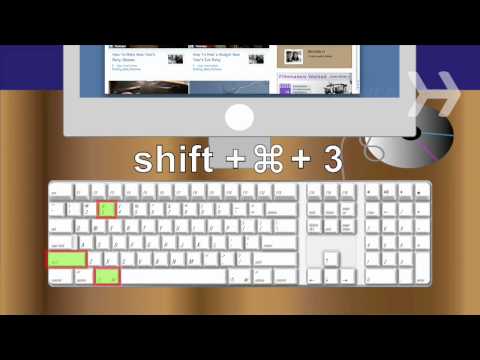
On a Mac, hold down Shift, Command and the number 3 to take a picture of your entire screen. A file will automatically save to your desktop.
Step 6: Take a shot of part of the screen
Hold down Shift, Command, 4 to take a picture of an area of the screen. Hold down the mouse button, run the select tool over the area you'd like to shoot, and let go. A file will save to your desktop. Find the screenshot file on your desktop, and change its name and location if you wish.
Step 7: Send
Attach screenshots to e-mail, print them out, or insert them into documents, just as you would with any other digital file.
Did You Know?
Did you know? The first consumer computer to use movable "windows" with mouse-clicking capabilities was the Xerox Star that debuted in 1981.
About this tutorial
Howcast published this 1:56 video tutorial on October 25, 2010. It has been watched 1,983,977 times on YouTube.
- Channel
- Howcast
- Category
- Science & Technology
- Duration
- 1:56
- Published
- October 25, 2010
- Views
- 1,983,977
- Likes
- 2,754
Tags
Share
Further reading
-
How to Take Screenshots in Windows 10
howtogeek.com
The Print Screen button on your keyboard can take a screenshot and save it as a file, take a screenshot without saving it as a file, or take a screenshot of only one window (instead of the whole screen). The print scree…
-
How to take a screenshot on Windows 10 computers in several ...
msn.com
The fastest way to take a screenshot on Windows 10 is by pressing the "PrtScn" button on your keyboard. There are various key combos to take screenshots of portions of the screen.
-
The Easiest Way to Take a Screenshot in Windows | wikiHow
wikihow.com
Save your screenshot as an image file. Click File, click Save, enter a file name, click a location on the left side of the page, and click Save.. You can change the screenshot's file type by clicking the "Save as type"…
This tutorial in other languages
- FRComment prendre une capture d'écran
- ESCómo hacer una captura de pantalla
- PTComo tirar um screenshot
- ITCome prendere uno screenshot
- DEWie um einen Screenshot aufzunehmen
- NLHoe maak je een screenshot
- RUКак сделать снимок экрана
- PLJak wykonać zrzut ekranowy
- JAスクリーンショットを撮る方法
- ARكيفية أخذ لقطة شاشة
- HIस्क्रीनशॉट लेने के लिए कैसे
- IDCara Mengambil Screenshot