Playback starts YouTube’s embedded player (privacy-enhanced mode).
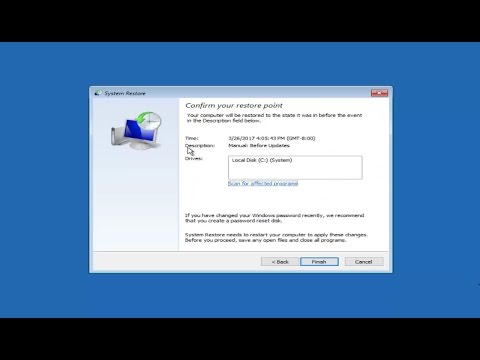
System Restore In Windows 10 COMPLETE Tutorial
ChannelMDTechVideosDescription from the creator
System Restore Windows 10 tutorial. System Restore in Windows 10 will help restore your computer to an earlier time and date.
Description Provided By Microsoft:
What is System Restore?
System Restore is designed to automatically monitor and record changes made to the core Windows system files and to the registry. System Restore can then allow you to undo (or "roll back") a change that caused instability in your system. This is accomplished by periodically recording a "Restore Point" (or System CheckPoint) that gives you the ability to roll your system back to the point in time when your computer was known to function properly.
System Restore is not intended to be an "uninstaller" or a backup program. If Windows does not function properly after installing software or drivers, you should use the Add/Remove Programs tool in Control Panel (or use the program's uninstaller) to remove the software before using System Restore.
Monitored File Types
System Restore monitors most system files with .exe, .vxd, .dll, .com, and .sys extensions. It does not monitor user-created files (for example, files that have .txt, .doc, or .xls extensions), the My Documents folder, Temporary Internet files (including the Internet Explorer History, Cookies, or Favorites files), the Recycle Bin, or the Windows Swap (.swp) file.
This tutorial will apply for computers, laptops, desktops,and tablets running the Windows 10, Windows 8/8.1, Windows 7 operating systems.Works for all major computer manufactures (Dell, HP, Acer, Asus, Toshiba, Lenovo, Samsung).
Description Provided By Microsoft:
What is System Restore?
System Restore is designed to automatically monitor and record changes made to the core Windows system files and to the registry. System Restore can then allow you to undo (or "roll back") a change that caused instability in your system. This is accomplished by periodically recording a "Restore Point" (or System CheckPoint) that gives you the ability to roll your system back to the point in time when your computer was known to function properly.
System Restore is not intended to be an "uninstaller" or a backup program. If Windows does not function properly after installing software or drivers, you should use the Add/Remove Programs tool in Control Panel (or use the program's uninstaller) to remove the software before using System Restore.
Monitored File Types
System Restore monitors most system files with .exe, .vxd, .dll, .com, and .sys extensions. It does not monitor user-created files (for example, files that have .txt, .doc, or .xls extensions), the My Documents folder, Temporary Internet files (including the Internet Explorer History, Cookies, or Favorites files), the Recycle Bin, or the Windows Swap (.swp) file.
This tutorial will apply for computers, laptops, desktops,and tablets running the Windows 10, Windows 8/8.1, Windows 7 operating systems.Works for all major computer manufactures (Dell, HP, Acer, Asus, Toshiba, Lenovo, Samsung).
About this tutorial
MDTechVideos published this 10:41 video tutorial on November 1, 2017. It has been watched 776,829 times on YouTube.
- Channel
- MDTechVideos
- Category
- Science & Technology
- Duration
- 10:41
- Published
- November 1, 2017
- Views
- 776,829
- Likes
- 3,622
Tags
Share
This tutorial in other languages
- FRRestauration du système sous Windows 10 COMPLETE Tutorial
- ESRestaurar sistema en Windows 10 completo tutorial
- PTRestauração do Sistema No Windows 10 COMPLETE Tutorial
- ITRipristino configurazione di sistema in Windows 10 tutorial completo
- DESystemwiederherstellung unter Windows 10 COMPLETE Tutorial
- NLSysteemherstel in Windows 10 COMPLETE Tutorial
- RUВосстановление системы В Windows 10 исчерпывающее руководство
- PLPrzywracanie systemu w Windows 10 KOMPLETNY Tutorial
- JAシステムでWindowsの10 COMPLETEチュートリアルを復元
- ARاستعادة النظام في ويندوز 10 كامل تعليمي
- HIसिस्टम पुनर्स्थापना में Windows 10 पूर्ण ट्यूटोरियल
- IDSystem Restore Pada Windows 10 COMPLETE Tutorial