Playback starts YouTube’s embedded player (privacy-enhanced mode).
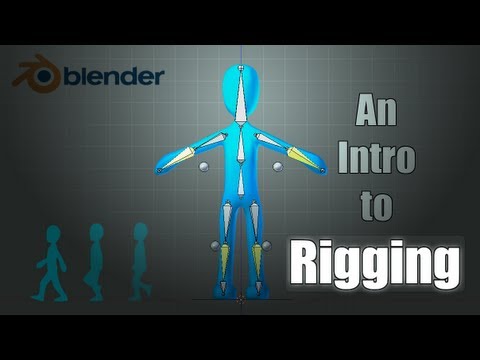
Blender Tutorial: Basics of Character Rigging
ChannelSebastian LagueDescription from the creator
Hey guys. This is a quick tutorial on creating a simple, but rather effective character rig in blender. Hope it helps some of you out!
Read FAQ below:
Follow me on Twitter @SebastianLague
Download starting file: bit.ly/rigTutStart
Watch my animation tutorial using this rig: bit.ly/walkCycleTut
FAQ:
Q: Shift+Ctrl+C is not bringing up the add constraints menu.
A: This will only work if you're in POSE mode.
Q: Leg/arm is not bending (or is bending in the wrong direction) when I move the ik bone.
A: In edit mode select the joint (where the upper and lower leg/arm meet) and move it slightly so that it has an initial bend in the direction you want.
Q: If I move the ik bone down to far the leg starts stretching at the foot.
A: Parent the foot to the lower leg bone instead of the ik bone. To make the foot still follow the rotation of the ik bone, select foot bone in pose mode and turn of inherit rotation in bone properties. Then select the ik bone, shift select the foot bone and press shift+ctrl+c and add a copy rotation constraint. In the constraints tab set both of the 'Space' fields to Local Space.
Q: Arm or leg moves unpredictably/wildly with even the slightest movement of ik bone.
A: IK is most probably still parented to the lower leg/arm bone. In edit mode, select the ik bone and press alt+p to clear the parenting.
Q: What is the period key?
A: The full stop you (should) put at the end of a sentence.
Q: How do you flip the bones after duplicating with shift+d?
A: Press 's' to scale, 'x' to constrain to x axis, and '-1' to flip. Left click to confirm.
Q: Whole rig moves wildly and unpredictable in pose mode.
A: The chain length on one of the ik bones is 0.
Follow me on twitter @SebastianLague
Support my videos on Patreon: bit.ly/sebPatreon
Read FAQ below:
Follow me on Twitter @SebastianLague
Download starting file: bit.ly/rigTutStart
Watch my animation tutorial using this rig: bit.ly/walkCycleTut
FAQ:
Q: Shift+Ctrl+C is not bringing up the add constraints menu.
A: This will only work if you're in POSE mode.
Q: Leg/arm is not bending (or is bending in the wrong direction) when I move the ik bone.
A: In edit mode select the joint (where the upper and lower leg/arm meet) and move it slightly so that it has an initial bend in the direction you want.
Q: If I move the ik bone down to far the leg starts stretching at the foot.
A: Parent the foot to the lower leg bone instead of the ik bone. To make the foot still follow the rotation of the ik bone, select foot bone in pose mode and turn of inherit rotation in bone properties. Then select the ik bone, shift select the foot bone and press shift+ctrl+c and add a copy rotation constraint. In the constraints tab set both of the 'Space' fields to Local Space.
Q: Arm or leg moves unpredictably/wildly with even the slightest movement of ik bone.
A: IK is most probably still parented to the lower leg/arm bone. In edit mode, select the ik bone and press alt+p to clear the parenting.
Q: What is the period key?
A: The full stop you (should) put at the end of a sentence.
Q: How do you flip the bones after duplicating with shift+d?
A: Press 's' to scale, 'x' to constrain to x axis, and '-1' to flip. Left click to confirm.
Q: Whole rig moves wildly and unpredictable in pose mode.
A: The chain length on one of the ik bones is 0.
Follow me on twitter @SebastianLague
Support my videos on Patreon: bit.ly/sebPatreon
About this tutorial
Sebastian Lague published this 17:42 video tutorial on October 26, 2013. It has been watched 1,223,633 times on YouTube.
- Channel
- Sebastian Lague
- Category
- Film & Animation
- Duration
- 17:42
- Published
- October 26, 2013
- Views
- 1,223,633
- Likes
- 13,464
Tags
Share
This tutorial in other languages
- FRBlender Tutoriel: Notions de base de caractère Gréement
- ESBlender Tutorial: Conceptos básicos de Aparejo de caracteres
- PTBlender Tutorial: Noções básicas de caráter aparelhamento
- ITBlender Tutorial: Nozioni di base di carattere Rigging
- DEBlender Tutorial: Grundlagen der Zeichen Rigging
- NLBlender Tutorial: Basics of Character Rigging
- RUBlender Учебник: Основы символов Такелаж
- PLBlender Tutorial: Podstawy osprzętu znaków
- JABlenderのチュートリアル:キャラクターリギングの基礎知識
- ARخلاط دروس: أساسيات تزوير الأحرف
- HIब्लेंडर ट्यूटोरियल: चरित्र में धोखाधड़ी की मूल बातें
- IDBlender Tutorial: Dasar-dasar dari Karakter Rigging