Playback starts YouTube’s embedded player (privacy-enhanced mode).
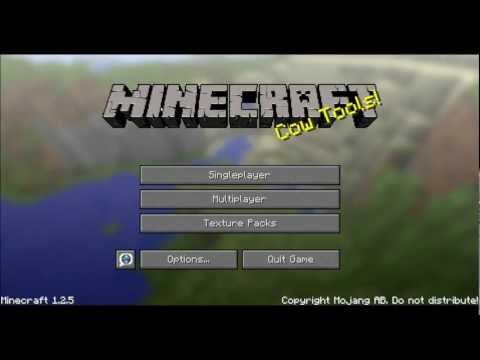
How to Join a Minecraft Multiplayer Server (PC and Mac)
ChanneliTechPodIn brief
Connect to a Minecraft multiplayer server on PC or Mac by adding its IP address. This works for free servers (most are) and requires a legitimate Minecraft account. Great for players who want to team up or explore with others.
Questions & answers
Do I need to pay to join multiplayer servers?
Most servers are free, but some exclusive ones may charge a fee (rare).
Description from the creator
You will need an IP
(e.x. 96.44.143.26:25567)
-If you do not have an IP, but would like to join a Minecraft server, the besst are listed in order here: minestatus.net/
Steps:
0. Open Minecraft and Login (You MUST have a registered account)
1. Click Multiplayer
2. Click Add Server
3. Name Server
4. Enter iP Adress
5. Click Join Server
6. Enjoy!
If you have any questions you may leave them below, and I will try to respond ASAP.
F.A.Q.
1. do you need money to do multiplayer?
Depends. Most servers are free, but some exclusive servers charge you. (it is very rare for charges so be wary) (If you are unsure message me)
2. failed to login user not premium? what this?
This means you are not using a legitimate copy of Minecraft. (You didnt pay, you only registerd)
3.mine says:Interal exception: java.net.SocketExcption : Connection reset
What's that??
Either your internet or the server is down. (try restarting the game, if that doesnt work and your internet is working, contact the server admins)
(e.x. 96.44.143.26:25567)
-If you do not have an IP, but would like to join a Minecraft server, the besst are listed in order here: minestatus.net/
Steps:
0. Open Minecraft and Login (You MUST have a registered account)
1. Click Multiplayer
2. Click Add Server
3. Name Server
4. Enter iP Adress
5. Click Join Server
6. Enjoy!
If you have any questions you may leave them below, and I will try to respond ASAP.
F.A.Q.
1. do you need money to do multiplayer?
Depends. Most servers are free, but some exclusive servers charge you. (it is very rare for charges so be wary) (If you are unsure message me)
2. failed to login user not premium? what this?
This means you are not using a legitimate copy of Minecraft. (You didnt pay, you only registerd)
3.mine says:Interal exception: java.net.SocketExcption : Connection reset
What's that??
Either your internet or the server is down. (try restarting the game, if that doesnt work and your internet is working, contact the server admins)
About this tutorial
iTechPod published this 7:59 video tutorial on November 2, 2012. It has been watched 5,659,175 times on YouTube.
Tags
Share
This tutorial in other languages
- FRComment Rejoindre un Minecraft multijoueur Server (PC et Mac)
- ESCómo unirse a un servidor de Minecraft multijugador (PC y Mac)
- PTComo Participar de um Minecraft Multiplayer Server (PC e Mac)
- ITCome partecipare a un Minecraft Multiplayer Server (PC e Mac)
- DEWie werde ich Mitglied einer Mine Multiplayer Server (PC und Mac)
- NLHoe kan ik deelnemen aan een Minecraft Multiplayer Server (PC en Mac)
- RUКак присоединиться к Minecraft Multiplayer Server (PC и Mac)
- PLJak przyłączyć się do Minecraft Multiplayer Server (PC i Mac)
- JAMinecraftのマルチプレイサーバー(PCおよびMac)に参加する方法
- ARكيفية الانضمام إلى ماين كرافت المتعدد خادم (PC و Mac)
- HIकैसे एक Minecraft मल्टीप्लेयर सर्वर (पीसी और मैक) में शामिल होने के लिए
- IDCara Bergabung dengan Minecraft Multiplayer Server (PC dan Mac)