Playback starts YouTube’s embedded player (privacy-enhanced mode).
How to create a recovery disc for windows 7
ChannelHOWTECHDescription from the creator
Don't know much about windows 7? Learn how to create a recovery disk for windows 7 by following this step by step guide.
Don't forget to check out our site howtech.tv/ for more free how-to videos!
youtube.com/ithowtovids - our feed
facebook.com/howtechtv - join us on facebook
plus.google.com/103440382717658277879 - our group in Google+
Some people download the recovery disk from the internet and burn in to a cd. If you have windows 7, you can create a recovery disk from there yourself. Simply put in a blank cd or dvd in your media drive and follow the instructions present in this step by step guide.
In this tutorial, we will teach you how window 7 recovery disc is created.
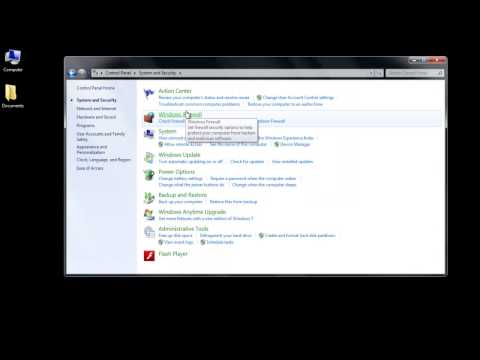
Step # 1-Click on Backup and Restore
In order to create recovery disc in windows 7, go to the start menu and search for "backup and restore". You can always go to the "control panel", click on "system and security" and then select the "back and restore" option.
Step # 2 -- Click on Create a system repair disk
From the left hand side panel, select the "create a system repair disk" option to create recovery disc in windows 7.
Step # 3 -- Click on Create disk button
Choose the drive and click on the "create disk" button.
Once the disk has been created, it will help you resolve startup problems and can even handle "bootloader" issues. Now you can easily create windows 7 discovery disc yourself.
Don't forget to check out our site howtech.tv/ for more free how-to videos!
youtube.com/ithowtovids - our feed
facebook.com/howtechtv - join us on facebook
plus.google.com/103440382717658277879 - our group in Google+
Some people download the recovery disk from the internet and burn in to a cd. If you have windows 7, you can create a recovery disk from there yourself. Simply put in a blank cd or dvd in your media drive and follow the instructions present in this step by step guide.
In this tutorial, we will teach you how window 7 recovery disc is created.
Step # 1-Click on Backup and Restore
In order to create recovery disc in windows 7, go to the start menu and search for "backup and restore". You can always go to the "control panel", click on "system and security" and then select the "back and restore" option.
Step # 2 -- Click on Create a system repair disk
From the left hand side panel, select the "create a system repair disk" option to create recovery disc in windows 7.
Step # 3 -- Click on Create disk button
Choose the drive and click on the "create disk" button.
Once the disk has been created, it will help you resolve startup problems and can even handle "bootloader" issues. Now you can easily create windows 7 discovery disc yourself.
About this tutorial
HOWTECH published this 0:44 video tutorial on November 2, 2013. It has been watched 10,850 times on YouTube.
- Channel
- HOWTECH
- Category
- Howto & Style
- Duration
- 0:44
- Published
- November 2, 2013
- Views
- 10,850
- Likes
- 29
Share
This tutorial in other languages
- FRComment créer un disque de récupération pour Windows 7
- ESCómo crear un disco de recuperación para Windows 7
- PTComo criar um disco de recuperação para o Windows 7
- ITCome creare un disco di ripristino per Windows 7
- DEWie eine Wiederherstellungs-CD für Windows erstellen 7
- NLHoe een herstel schijf voor Windows te creëren 7
- RUКак создать диск восстановления для Windows 7
- PLJak utworzyć dysk odzyskiwania dla systemu Windows 7
- JA窓のリカバリディスクを作成する方法7
- ARكيفية إنشاء قرص استرداد ويندوز 7
- HIकैसे खिड़कियों के लिए एक वसूली डिस्क बनाने के लिए 7
- IDCara membuat disk pemulihan untuk windows 7