Playback starts YouTube’s embedded player (privacy-enhanced mode).
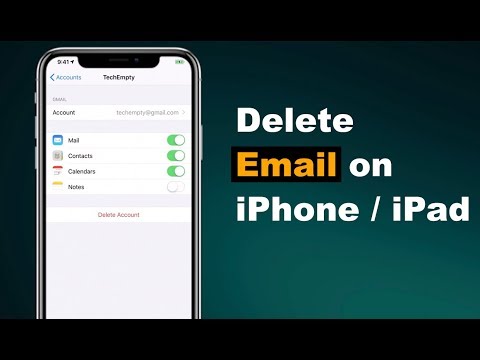
How to Delete an Email Account from the iPhone/iPad?
ChannelTechEmptyDescription from the creator
Firstly, you need to unlock your iPhone then open settings.
Just scroll down to the center till you find passwords & accounts option then tap on it.
Now choose the email account that you need to delete from an iPhone or iPad.
Tap on Delete Account then confirm the choice by choosing Delete from my iPhone.
Your email account is now deleted from the iPhone or iPad.
Subscribe to TechEmpty at youtube.com/user/techempty?sub_confirmation=1
**Stay Connected with Sai Praveen**
Facebook: facebook.com/imsaipraveen
Twitter: twitter.com/mesaipraveen
Google Plus: plus.google.com/+techempty
Website: techempty.org
About this tutorial
TechEmpty published this 1:27 video tutorial on October 26, 2019. It has been watched 327,816 times on YouTube.
- Channel
- TechEmpty
- Category
- Howto & Style
- Duration
- 1:27
- Published
- October 26, 2019
- Views
- 327,816
- Likes
- 2,160
Tags
Share
Further reading
-
How to delete an email account on an iPad in 4 steps ...
businessinsider.com
To delete an email account in your iPad's Mail app, open the "Passwords & Accounts" section of the Settings app. If you use an alternative email app on your iPad , like Gmail, you'll have to ...
-
How to delete an email account on iPhone, iPad and Mac in Mail
idownloadblog.com
Delete an email account on iPhone and iPad. To delete an email account on iOS, you’ll need to open your Settings app, head to Mail, and then do the following. 1) Select Mail > Accounts. 2) Choose the email account you w…
-
How to Delete an Email Account on an iPhone
lifewire.com
Deleting an Email Account Doesn't Delete the Emails From the Server . For IMAP and Exchange accounts, nothing changes on the server or in any other email program set up to access the same account. iPhone Mail stops acce…
This tutorial in other languages
- FRComment supprimer un compte de messagerie de l'iPhone / iPad?
- ESCómo eliminar una cuenta de correo electrónico desde el iPhone / IPAD?
- PTComo excluir uma conta de email a partir do / iPad iPhone?
- ITCome eliminare un account e-mail da iPhone / iPad?
- DEWie E-Mail-Konto aus dem iPhone / iPad löschen?
- NLHoe kan ik een e-mailaccount van de iPhone / iPad verwijderen?
- RUКак удалить учетную запись электронной почты с iPhone / IPad?
- PLJak usunąć konto e-mail z iPhone / iPad?
- JAiPhone / iPadから電子メールアカウントを削除する方法?
- ARكيفية حذف حساب بريد إلكتروني من اي فون / آي باد؟
- HIकैसे iPhone / iPad से ईमेल खाता हटाना करने के लिए?
- IDCara Menghapus Akun Email dari iPhone / iPad?