Playback starts YouTube’s embedded player (privacy-enhanced mode).
How to Insert Bookmark in Word
ChannelExcel, Word and PowerPoint Tutorials from HowtechDescription from the creator
Don't forget to check out our site howtech.tv/ for more free how-to videos!
youtube.com/ithowtovids - our feed
facebook.com/howtechtv - join us on facebook
plus.google.com/103440382717658277879 - our group in Google+
In this tutorial, we will teach you how to insert a bookmark in Word. Bookmark in Word allows you to mark important headings. In a long document, you can make several bookmarks. For later review, you can simply go from one bookmark to another. This way you will never have to worry about which chapter you were on the last time you were reading.
Step 1 -- Bookmark option
Follow this step by step guide to learn how to insert a bookmark in Word.
First of all, select the heading or the paragraph that you want to bookmark. Once you are done selecting, go to the insert tab and click on the bookmark option available under links.
Step 2 -- Add a bookmark
As a result, the bookmark window will appear on your screen. Give the bookmark a name in this pop up window and then click on the add button.
Step 3 -- Show bookmarks
Once you are done, click on the Microsoft office icon in the extreme top left corner of your screen. In the word options window, go to the advanced tab and scroll down to the show document content section. In this section, check the show bookmarks option and then click on the ok button to save the changes. You'd notice brackets will mark the area that you bookmarked.
Step 4 -- Add multiple bookmarks
Bookmarks come in handy when you are working on a document that contains several pages. You can add several bookmarks so that you can identify these bookmarks easily for future reference.
Step 5 -- Go-to another bookmark
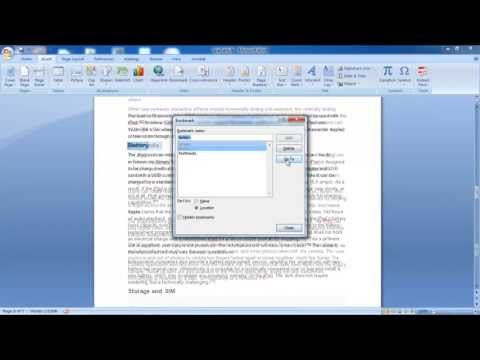
Once you have added several bookmarks, click on the bookmark option again and the window will show you all the bookmarks that you have. For the purpose of this tutorial, we only added three bookmarks.
If you want to go to a particular bookmark, simply select it and then click on the go to button.
Step 6 -- Delete a bookmark
If you want to delete a bookmark, simply select the bookmark and then click on the delete button.
In this manner, you can insert a bookmark in Word.
About this tutorial
Excel, Word and PowerPoint Tutorials from Howtech published this 1:11 video tutorial on October 25, 2013. It has been watched 451,808 times on YouTube.
- Category
- Howto & Style
- Duration
- 1:11
- Published
- October 25, 2013
- Views
- 451,808
- Likes
- 1,262
Tags
Share
Further reading
-
Add or delete bookmarks in a Word document or Outlook message ...
support.microsoft.com
A bookmark in Word works like a bookmark you might place in a book: it marks a place that you want to find again easily. You can enter as many bookmarks as you want in your document or Outlook message, and you can give…
-
Inserting Bookmarks in Your Word Document
lifewire.com
Insert a Bookmark Into a Word Document Bookmarks are placed at a specific point within the text; bookmarks don't govern the document as a whole. Position the cursor at an insertion point you want to mark or select a sec…
-
5 Ways to Add a Bookmark in Microsoft Word - wikiHow
wikihow.com
Open Word, go to the picture or the content you wan't to bookmark, and click it/edit it. Go up to the magnifying glass, just under the name of the document on top of Word. Search "bookmark", click on Insert a Bookmark,…
This tutorial in other languages
- FRComment Insérer un signet dans Word
- ESCómo Insertar marcador en Word
- PTComo Inserir marcador no Word
- ITCome Inserisci segnalibro in Word
- DEWie man Lesezeichen einfügen in Word
- NLHoe te Bladwijzer invoegen in Word
- RUКак вставить закладки в Слове
- PLJak wstawić zakładkę w programie Word
- JAどのようにWordで挿入ブックマークへ
- ARكيفية إدراج إشارة مرجعية في Word
- HIकैसे वर्ड में सम्मिलित करने के लिए बुकमार्क
- IDCara Insert Bookmark di Word