Playback starts YouTube’s embedded player (privacy-enhanced mode).
How to take a screenshot in Windows 10
Channelhowtwos101Description from the creator
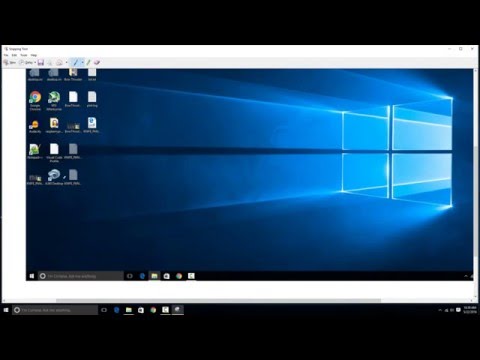
The simplest method to take a variety of screenshots (whole screen, just a region, or a screenshot of a window) is to use the Windows snipping tool. To open that, just go to start-All Apps-Windows Accesories and then select the snipping tool option.
The snipping tool is very easy to use. Basically just hit the new button, and then when the screen grays out, select from the dropdown menu next to knew the type of region you want. Like there are options for free form (draw whatever shape you want) rectangular region, current window, and whole screen. AFter you take the screenshot just hit save and then choose the format and save it wherever.
The next method is to use the screenshot button on your keyboard. To have Windows take and automatically save a whole screen screenshot, just hit the windows key+print screen. This will save your current screen as an image in your pictures folder.
You can also just take a screenshot of a region by hitting alt+print screen and then pasting the screenshot into Microsoft Paint. You can do the same for the full screen by just not hitting alt.
Check out my facebook at: facebook.com/pages/All-How-2s/198429346974010
or my twitter: twitter.com/AllHow2s
Or my website where I have a lot of other great tutorials (such as how to take a screenshot, or how to get the start button back on Windows 8): allhow2s.com
About this tutorial
howtwos101 published this 4:52 video tutorial on October 25, 2016. It has been watched 114,668 times on YouTube.
- Channel
- howtwos101
- Category
- Howto & Style
- Duration
- 4:52
- Published
- October 25, 2016
- Views
- 114,668
- Likes
- 485
Tags
Share
Further reading
-
How to Take Screenshots in Windows 10
howtogeek.com
You can take a screenshot on just about any platform, and taking screenshots in Windows is no different. It has a built-in option that works great for basic tasks, but many third-party programs offer more ease of use an…
-
How to take a screenshot on Windows 10 computers in several ...
msn.com
Windows 10 provides several ways to take screenshots of your entire computer screen, or just select parts of it. The fastest way to take a screenshot on Windows 10 is by pressing the "PrtScn ...
-
How to Take Screenshots in Windows 10 | PCMag
pcmag.com
Even as recently as last year's Windows spring update added new screenshot functionality. As a result, taking a screenshot on the latest Windows 10 version is more flexible and powerful than ever.
This tutorial in other languages
- FRComment prendre une capture d'écran dans Windows 10
- ESCómo tomar una captura de pantalla en Windows 10
- PTComo tirar um screenshot no Windows 10
- ITCome prendere uno screenshot in Windows 10
- DEWie Sie einen Screenshot in Windows 10 nehmen
- NLHoe maak je een screenshot te nemen in Windows 10
- RUКак сделать скриншот в Windows 10
- PLJak zrobić zrzut ekranu w systemie Windows 10
- JAWindowsの10でスクリーンショットを撮る方法
- ARكيف تأخذ لقطة في نظام التشغيل Windows 10
- HIWindows 10 में एक स्क्रीनशॉट लेने के लिए
- IDCara mengambil screenshot di Windows 10