Playback starts YouTube’s embedded player (privacy-enhanced mode).
How to Test your Internet Speed on Windows 10
Channelhowtwos101Description from the creator
This video will show you how to check your internet speed using a few different methods.
The first is speedtest.net which when you run it will give you your ping, upload speed, and download speed.
You ping is time between communications, so it is important for this to be low to play video games reliable, especially first person shooters. if your ping is too high (more than 40 ms or so) you will start to notice lag and your character jumping around.
Your download speed is in Megabits per second, which is what your ISP is selling you. So you can match this number up with what they are supposed to be giving you.
The upload speed is usually lower than your download speed, because most people use less upload than download (download would be important for Netflix, while upload would be important for running a webserver or uploading files to google drive)
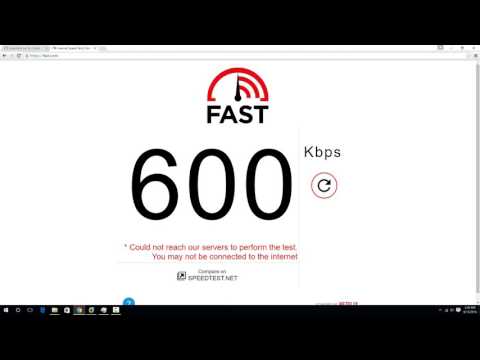
The second option, fast.com is a speed testing website set up by Netflix. They set this up because they felt a lot of people weren't getting accurate results from speedtest.net, so wanted people to have a second option. This site will only show you your internet download speed though.
The last option is downloading the Ubuntu operating system. Basically, you can use P2P transferring to max out your internet connection this way, for a sustained amount of time. This gives you a really good number for your internet speed, because you can see how it behaves over the full download, and get an average speed number. Just make sure to multiply the download speed here by 8, because it gives you the number as Megabytes, rather than Megabits (A byte is 8 bits)
The downloader can be found at ninite.com and the Ubuntu image is at ubuntu.com/download/alternative-downloads
Check out my facebook at: facebook.com/pages/All-How-2s/198429346974010
or my twitter: twitter.com/AllHow2s
Or my website where I have a lot of other great tutorials (such as how to take a screenshot, or how to get the start button back on Windows 8): allhow2s.com
The first is speedtest.net which when you run it will give you your ping, upload speed, and download speed.
You ping is time between communications, so it is important for this to be low to play video games reliable, especially first person shooters. if your ping is too high (more than 40 ms or so) you will start to notice lag and your character jumping around.
Your download speed is in Megabits per second, which is what your ISP is selling you. So you can match this number up with what they are supposed to be giving you.
The upload speed is usually lower than your download speed, because most people use less upload than download (download would be important for Netflix, while upload would be important for running a webserver or uploading files to google drive)
The second option, fast.com is a speed testing website set up by Netflix. They set this up because they felt a lot of people weren't getting accurate results from speedtest.net, so wanted people to have a second option. This site will only show you your internet download speed though.
The last option is downloading the Ubuntu operating system. Basically, you can use P2P transferring to max out your internet connection this way, for a sustained amount of time. This gives you a really good number for your internet speed, because you can see how it behaves over the full download, and get an average speed number. Just make sure to multiply the download speed here by 8, because it gives you the number as Megabytes, rather than Megabits (A byte is 8 bits)
The downloader can be found at ninite.com and the Ubuntu image is at ubuntu.com/download/alternative-downloads
Check out my facebook at: facebook.com/pages/All-How-2s/198429346974010
or my twitter: twitter.com/AllHow2s
Or my website where I have a lot of other great tutorials (such as how to take a screenshot, or how to get the start button back on Windows 8): allhow2s.com
About this tutorial
howtwos101 published this 7:28 video tutorial on November 3, 2016. It has been watched 55,352 times on YouTube.
- Channel
- howtwos101
- Category
- Howto & Style
- Duration
- 7:28
- Published
- November 3, 2016
- Views
- 55,352
- Likes
- 300
Tags
Share
This tutorial in other languages
- FRComment tester votre vitesse Internet sur Windows 10
- ESCómo probar la velocidad de Internet en Windows 10
- PTComo testar a sua velocidade de Internet no Windows 10
- ITCome verificare la velocità di Internet in Windows 10
- DEWie Sie Ihre Internet-Geschwindigkeit auf Windows 10 Test
- NLHoe kunt u uw Internet Speed Test op Windows 10
- RUКак проверить свою скорость интернета на Windows 10
- PLJak przetestować szybkość internetu w systemie Windows 10
- JAWindowsの10にあなたのインターネットの速度をテストする方法
- ARكيفية اختبار سرعة الانترنت الخاص بك على نظام التشغيل Windows 10
- HIWindows 10 पर अपने इंटरनेट की गति का परीक्षण करने के लिए कैसे
- IDCara Uji Kecepatan Internet Anda pada Windows 10