Playback starts YouTube’s embedded player (privacy-enhanced mode).
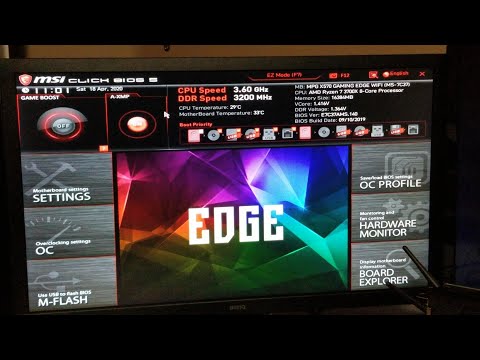
How to Quickly Open BIOS from Windows 10
ChannelReviewing Playing & More RPMDescription from the creator
How to Quickly Open your BIOS when your in Windows 10 is simple and will gain you access to many other features as well...this will also allow you to Reset your PC before you sell it to someone...Hope you Enjoy...(If you don't have UEFI: After choosing Advanced Options, click on Startup settings, click restart and you'll need to know the button to push to get into your BIOS, can be F2, Delete or in some instances F11, so start clicking on the one that applies to your PC and you'll enter the BIOS)
Another way to get into the BIOS is while your PC is on force a shutdown but Holding down the Power Button, again reboot pressing the Del or F2 key whichever is for getting into the BIOS for your system...lastly is to take out the CMOS Battery for about 3 mins, on a laptop you can remove the battery if accessible and press the power button for about 5 secs then put the battery back in and restart, again pressing the Del or F2 Key, (remove the CMOS Battery if possible) again for 3 mins...Hope one of these will help...
tip: hold shift and shutdown to fully shut down the pc without fastboot
Also you can chose Start, Settings, Update and Security, Recovery then click Advanced Recovery this is basically another way to do the same as in this video. Submitted to me by: Garth Clark Thanks!
NOTE: (If you get a Blank Screen) The Blank screen after restart can be difficult to diagnose as there can be many reasons for this, but the one thing I'd suggest first is to turn off Fast Boot if you have it on, that has solved a lot of issue's, the blank screen being one of them.
Link to my PayPal to donate to this channel:
paypal.me/Reviewing
To get great Discounts on most shopping website use this link: u2599558.ct.sendgrid.net/mps2/c/4AA/hqonAA/t.2x…
Link to TubeBuddy free Software for YouTube that will help you with your YouTube channel tags, and get more views: tubebuddy.com/Reviewing
twitter.com/ReviewingPM
Another way to get into the BIOS is while your PC is on force a shutdown but Holding down the Power Button, again reboot pressing the Del or F2 key whichever is for getting into the BIOS for your system...lastly is to take out the CMOS Battery for about 3 mins, on a laptop you can remove the battery if accessible and press the power button for about 5 secs then put the battery back in and restart, again pressing the Del or F2 Key, (remove the CMOS Battery if possible) again for 3 mins...Hope one of these will help...
tip: hold shift and shutdown to fully shut down the pc without fastboot
Also you can chose Start, Settings, Update and Security, Recovery then click Advanced Recovery this is basically another way to do the same as in this video. Submitted to me by: Garth Clark Thanks!
NOTE: (If you get a Blank Screen) The Blank screen after restart can be difficult to diagnose as there can be many reasons for this, but the one thing I'd suggest first is to turn off Fast Boot if you have it on, that has solved a lot of issue's, the blank screen being one of them.
Link to my PayPal to donate to this channel:
paypal.me/Reviewing
To get great Discounts on most shopping website use this link: u2599558.ct.sendgrid.net/mps2/c/4AA/hqonAA/t.2x…
Link to TubeBuddy free Software for YouTube that will help you with your YouTube channel tags, and get more views: tubebuddy.com/Reviewing
twitter.com/ReviewingPM
About this tutorial
Reviewing Playing & More RPM published this 5:12 video tutorial on April 25, 2020. It has been watched 709,202 times on YouTube.
- Channel
- Reviewing Playing & More RPM
- Category
- People & Blogs
- Duration
- 5:12
- Published
- April 25, 2020
- Views
- 709,202
- Likes
- 8,805
Tags
Share
This tutorial in other languages
- FRComment ouvrir rapidement BIOS à partir de Windows 10
- ESCómo abrir rápidamente la BIOS desde Windows 10
- PTComo abrir rapidamente BIOS a partir do Windows 10
- ITCome aprire rapidamente BIOS da Windows 10
- DEWie schnell öffnen BIOS unter Windows 10
- NLHoe snel Open BIOS van Windows 10
- RUКак быстро открыть BIOS из Windows 10
- PLJak szybko otworzyć BIOS z systemu Windows 10
- JAどのようにすばやく開き、BIOSへのWindows 10から
- ARكيفية بسرعة المفتوحة BIOS من ويندوز 10
- HIकैसे जल्दी से खुला है BIOS करने के लिए Windows 10 से
- IDCara Cepat Buka BIOS dari Windows 10