Playback starts YouTube’s embedded player (privacy-enhanced mode).
How to Find Your Computer Name on Windows 10
ChannelMakeUseOfDescription from the creator
Looking up your Windows 10 computer name couldn’t be easier. With just one or two clicks, you can look up vital information on your Windows 10 machine.
Here we present three simple solutions:
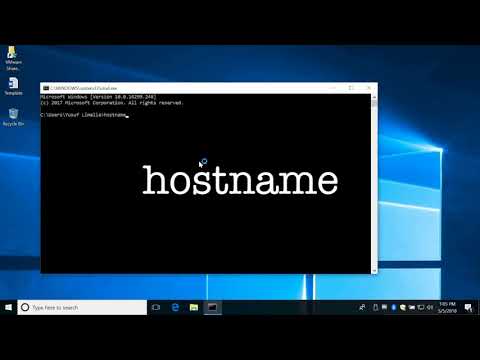
1. Open a command prompt from the run dialog (windows + R), then type "cmd", then "hostname"
2. Type "computer name" into the Windows search box
3. Right click on the start menu and select System.
Any of those should location your Computer name for you!
Article: makeuseof.com/tag/find-windows-10-computer-name/
***************
Music: bensound.com
Here we present three simple solutions:
1. Open a command prompt from the run dialog (windows + R), then type "cmd", then "hostname"
2. Type "computer name" into the Windows search box
3. Right click on the start menu and select System.
Any of those should location your Computer name for you!
Article: makeuseof.com/tag/find-windows-10-computer-name/
***************
Music: bensound.com
About this tutorial
MakeUseOf published this 1:36 video tutorial on November 1, 2018. It has been watched 471,368 times on YouTube.
- Channel
- MakeUseOf
- Category
- Science & Technology
- Duration
- 1:36
- Published
- November 1, 2018
- Views
- 471,368
- Likes
- 2,058
Tags
Share
This tutorial in other languages
- FRComment trouver votre nom de l'ordinateur sous Windows 10
- ES¿Cómo encontrar el nombre del equipo en Windows 10
- PTComo encontrar o seu nome do computador no Windows 10
- ITCome trovare il nome del computer su Windows 10
- DESo finden Sie den Namen Ihres Computers unter Windows 10
- NLHoe vindt u uw computer Name op Windows 10
- RUКак найти свое Имя компьютера на Windows 10
- PLJak znaleźć nazwy komputera w systemie Windows 10
- JAWindowsの10にコンピュータ名を検索する方法
- ARكيفية البحث عن اسم الكمبيوتر على ويندوز 10
- HIकैसे Windows 10 पर अपने कंप्यूटर का नाम पता लगाएं करने के लिए
- IDCara Cari Nama Komputer Anda pada Windows 10