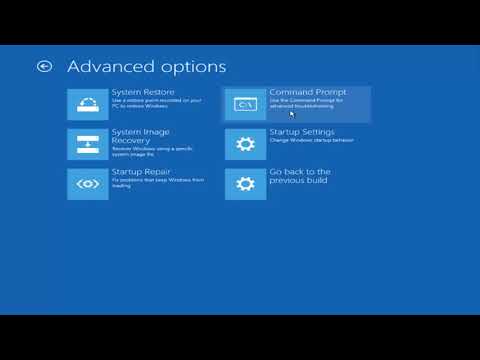
Playback starts YouTube’s embedded player (privacy-enhanced mode).
Windows 10 Keeps Restarting Loop FIX Tutorial
ChannelMDTechVideosIn brief
Fix the frustrating Windows 10 restart loop where your PC keeps rebooting automatically after a crash or shutdown. This tutorial covers solutions for desktops, laptops, and tablets running any Windows 10 edition, regardless of brand. You’ll troubleshoot without needing advanced technical skills.
Description from the creator
FIX : Your PC Ran Into a Problem and Needs to Restart. We're just collecting some error info, and then we'll restart for you. (0%)
Issues addressed in this tutorial:
Windows 10 keeps restarting
Windows 10 keeps restarting loop
Windows 10 keeps restarting after shutdown
Windows 10 keeps restarting after login
Windows 10 keeps restarting at login
Windows 10 keeps restarting with blue screen
Windows 10 keeps restarting after install
Windows 10 keeps restarting during installation
Windows 10 keeps restoring previous version of windows
"Your PC Ran into a problem and needs to restart. We're just collecting some error info, and then we'll restart for you'. The computer proceeds to automatically goes into the infinite restart loop mode. So here is the solution.
This tutorial will apply for computers, laptops, desktops,and tablets running the Windows 10 operating system (Home, Professional, Enterprise, Education) from all supported hardware manufactures, like Dell, HP, Acer, Asus, Toshiba, Lenovo, and Samsung.
Issues addressed in this tutorial:
Windows 10 keeps restarting
Windows 10 keeps restarting loop
Windows 10 keeps restarting after shutdown
Windows 10 keeps restarting after login
Windows 10 keeps restarting at login
Windows 10 keeps restarting with blue screen
Windows 10 keeps restarting after install
Windows 10 keeps restarting during installation
Windows 10 keeps restoring previous version of windows
"Your PC Ran into a problem and needs to restart. We're just collecting some error info, and then we'll restart for you'. The computer proceeds to automatically goes into the infinite restart loop mode. So here is the solution.
This tutorial will apply for computers, laptops, desktops,and tablets running the Windows 10 operating system (Home, Professional, Enterprise, Education) from all supported hardware manufactures, like Dell, HP, Acer, Asus, Toshiba, Lenovo, and Samsung.
About this tutorial
MDTechVideos published this 6:47 video tutorial on November 6, 2018. It has been watched 2,753,648 times on YouTube.
- Channel
- MDTechVideos
- Category
- Science & Technology
- Duration
- 6:47
- Published
- November 6, 2018
- Views
- 2,753,648
- Likes
- 18,423
Tags
Share
This tutorial in other languages
- FRWindows 10 maintient la boucle FIX Tutorial Redémarrage
- ESWindows 10 mantiene Tutorial FIX reinicio de bucle
- PTWindows 10 continua reiniciando loop FIX Tutorial
- ITWindows 10 continua a riavviarsi Loop Tutorial FIX
- DEWindows 10 Hält Neustarten Loop-FIX Tutorial
- NLWindows 10 start steeds opnieuw op Loop FIX Tutorial
- RUWindows, 10 перезапускается Loop FIX Учебник
- PLPonowne uruchomienie systemu Windows 10 Utrzymuje Loop FIX Tutorial
- JAWindowsの10は再起動ループFIXチュートリアルを保持します
- ARويندوز 10 وتبقي إعادة تشغيل حلقة FIX دروس
- HIWindows 10 रखता पुन: आरंभ करना लूप ठीक ट्यूटोरियल
- IDWindows 10 Keeps Restart Simpul FIX Tutorial