Playback starts YouTube’s embedded player (privacy-enhanced mode).
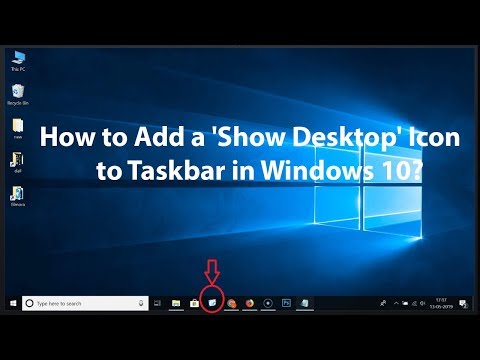
How to Add a 'Show Desktop' Icon to Taskbar in Windows 10?
ChannelTechMeSpotDescription from the creator
Step 1: Right click on the desktop, and then click on 'New.' After that, click on 'shortcut.'
Step 2: In location, enter the path below:-
%windir%\explorer.exe shell:::{3080F90D-D7AD-11D9-BD98-0000947B0257}
Step 3: Click on 'Next' button.
Step 4: Type the name that you want for shortcut. for ex- Show Desktop.
Step 5: Click on 'Finish' button.
Step 6: To Move the 'show desktop' shortcut to the taskbar. Drag the shortcut, and drop it to taskbar.
If you want to change Icon. Follow the steps below:-
Step 1: Right click on 'show desktop' shortcut.
Step 2: Click on 'properties,' and then click on 'change icon.'
Step 3: Choose the icon by clicking on it, and then click on 'ok' button.
Step 4: Click on 'Apply,' and then 'ok' button.
It's done
Thanks for watching, please like and subscribe
==============================================
YouTube Subscribe: goo.gl/4lCCN8
Patreon: patreon.com/TechMeSpot
Facebook: facebook.com/techmespot
Twitter: twitter.com/techmespot
Website: techmespot.com
#howto #ShowDesktopIcon #Windows10Tips
About this tutorial
TechMeSpot published this 3:35 video tutorial on October 26, 2019. It has been watched 79,450 times on YouTube.
- Channel
- TechMeSpot
- Category
- Howto & Style
- Duration
- 3:35
- Published
- October 26, 2019
- Views
- 79,450
- Likes
- 453
Tags
Share
Further reading
-
How to Add Show Desktop Icon to Taskbar in Windows 10
techcult.com
How to Add Show Desktop Icon to Taskbar in Windows 10 Method 1 – Add Show Desktop Icon Using Create Shortcut Option. It is one of the easiest ways to add Show Desktop Icon to Taskbar in Windows 10. We will highlight all…
-
How to Add A Show Desktop Icon to Windows 10 Taskbar
isumsoft.com
Step 3: Pin the "Show Desktop" shortcut to the taskbar. 1) Right-click on the "Show Desktop" shortcut, and select "Pin to taskbar" from the context menu. 2) Then you will see the "Show Desktop" icon is on the taskba
-
How to Add “Show Desktop” Shortcut to Taskbar in Windows 10 ...
top-password.com
If you want to get to the desktop with a single click instead of keyboard shortcut, you can add a “Show Desktop” shortcut icon to the taskbar in Windows 10 / 8 / 7. How to Add “Show Desktop” Shortcut to Taskbar in Windo…
This tutorial in other languages
- FRComment ajouter une icône à Taskbar « Show Desktop » dans Windows 10?
- ESCómo agregar un icono de 'Mostrar Escritorio' a la barra de tareas en Windows 10?
- PTComo adicionar um ícone 'Show Desktop' para Barra de tarefas no Windows 10?
- ITCome aggiungere un'icona 'Mostra Desktop' a barra delle applicazioni in Windows 10?
- DEWie ein ‚Desktop anzeigen‘ Symbol auf der Taskleiste in Windows 10 hinzufügen?
- NLHoe maak je een pictogram 'Bureaublad weergeven' Toevoegen aan taakbalk in Windows 10?
- RUКак добавить значок «Show Desktop» на панели задач в Windows 10?
- PLJak dodać ikonę „Pokaż pulpit” na pasku zadań w systemie Windows 10?
- JAWindowsの10でタスクバーに「デスクトップの表示」アイコンを追加する方法?
- ARكيفية إضافة أيقونة "إظهار سطح المكتب" على شريط المهام في ويندوز 10؟
- HIकैसे Windows 10 में टास्कबार करने के लिए एक 'दिखाएँ डेस्कटॉप' आइकन जोड़ने के लिए?
- IDBagaimana menambahkan 'Show Desktop' Icon untuk Taskbar pada Windows 10?