Playback starts YouTube’s embedded player (privacy-enhanced mode).
How to Hide and Show Hard Disk Drives in "My Computer"
ChannelSandeep SinghDescription from the creator
How to Hide and Show Hard Disk Drives in "My Computer". Did you know you can secure the data on the hard disk drives by hiding them in Windows Computer.
Use the in-built system of windows to hide your desired drive from my computer without installing any software.
Here is a Step by Step Guide on How to Hide Hard Drive in Windows vista, 7 and 8.
Steps-
How to hide/ show a hard disk drive
Why do you need to use this feature of windows?
To protect your private data from your computer users.
I want to hide these two drives drive E and G
Go to menu right click on computer then click on manage
Now click on disk management right click on the drive which you want to hide
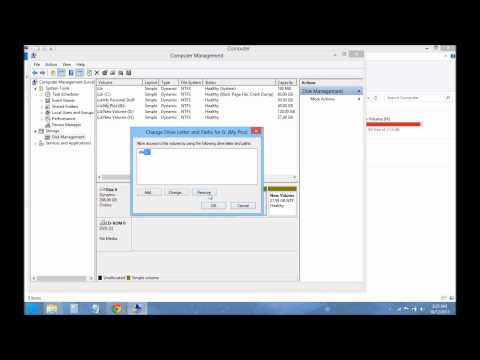
Click on change drive letter and paths.
Click on remove I will do the same thing
For other drives now you can see both drives are hidden.
let's bring back them again do a right click on drive and
Click on add hit ok same for other drives also
both drives are back again.
Thank you for watching do subscribe for more updates
Music-
Local Forecast by Kevin MacLeod (incompetech.com)
Licensed under Creative Commons: By Attribution 3.0
creativecommons.org/licenses/by/3.0/
incompetech.com/music/royalty-free/index.html?i….
Use the in-built system of windows to hide your desired drive from my computer without installing any software.
Here is a Step by Step Guide on How to Hide Hard Drive in Windows vista, 7 and 8.
Steps-
How to hide/ show a hard disk drive
Why do you need to use this feature of windows?
To protect your private data from your computer users.
I want to hide these two drives drive E and G
Go to menu right click on computer then click on manage
Now click on disk management right click on the drive which you want to hide
Click on change drive letter and paths.
Click on remove I will do the same thing
For other drives now you can see both drives are hidden.
let's bring back them again do a right click on drive and
Click on add hit ok same for other drives also
both drives are back again.
Thank you for watching do subscribe for more updates
Music-
Local Forecast by Kevin MacLeod (incompetech.com)
Licensed under Creative Commons: By Attribution 3.0
creativecommons.org/licenses/by/3.0/
incompetech.com/music/royalty-free/index.html?i….
About this tutorial
Sandeep Singh published this 2:17 video tutorial on November 2, 2013. It has been watched 268,932 times on YouTube.
- Channel
- Sandeep Singh
- Category
- Howto & Style
- Duration
- 2:17
- Published
- November 2, 2013
- Views
- 268,932
- Likes
- 958
Share
This tutorial in other languages
- FRComment afficher et masquer les disques durs dans « Poste de travail »
- ESCómo ocultar y unidades de disco duro Mostrar en "Mi PC"
- PTComo ocultar e Drives Mostrar disco rígido em "Meu Computador"
- ITCome nascondere and Drives Visualizza disco rigido in "Risorse del computer"
- DEWie blenden Sie Festplattenlaufwerke in „My Computer“
- NLHoe te verbergen en tonen Hard Disk Drives in "My Computer"
- RUКак скрыть и показать Жесткие диски в «Моем компьютере»
- PLJak ukryć i napędy Pokaż twardym w „Mój komputer”
- JAどのように非表示にし、「マイコンピュータ」に表示ハードディスクドライブにします
- ARكيفية إخفاء محركات الأقراص ومشاهدة القرص الصلب في "جهاز الكمبيوتر"
- HIकैसे हाइड एंड "मेरा कंप्यूटर" में दिखाएँ हार्ड डिस्क ड्राइव की
- IDCara Sembunyikan dan Tampilkan Hard Disk Drives di "My Computer"