Playback starts YouTube’s embedded player (privacy-enhanced mode).
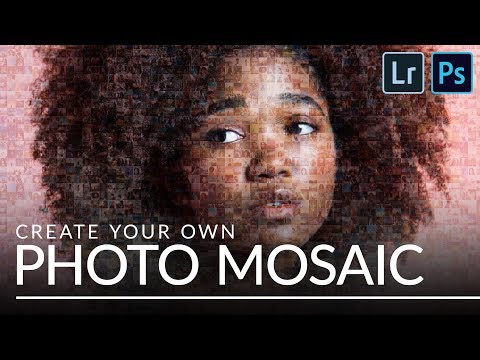
How to Create a Photo Mosaic in Lightroom & Photoshop
ChannelPHLEARNChapters
Description from the creator
▶ Download the sample images for this tutorial (free with a PHLEARN account): phlearn.com/tutorial/photo-mosaic/
Turn a folder of photos into a single mosaic image, then blend that mosaic right into another photo so it looks like it's made of hundreds of tiny pictures.
Aaron batch-crops and exports photos in Lightroom, automates them into a grid with Photoshop's Contact Sheet II, then defines that grid as a pattern and overlays it onto a portrait using Soft Light blending and a clipped Levels adjustment.
CHAPTERS
00:00 Creating a Photo Mosaic in Lightroom & Photoshop
01:24 Importing Photos into Lightroom
01:54 Cropping Images to a Square
03:28 Exporting Photos for the Mosaic
04:27 Building the Mosaic with Contact Sheet II
06:03 Turning the Mosaic into a Pattern
06:50 Applying the Pattern Overlay to a Photo
08:22 Adjusting Contrast with Levels
THE STEPS
1. Import all your source photos into Lightroom by dragging the folder in
2. Crop one photo to a 1:1 square (R), then select all (Cmd/Ctrl+A) and use Sync Settings, checking only Crop, to apply it to every photo
3. Export all photos resized to 150px on the long edge as JPGs into their own folder
4. In Photoshop, go to File, then Automate, then Contact Sheet II, choose that folder, and set your grid size, columns by rows, to match your target resolution
5. Go to Edit, then Define Pattern, to save the finished mosaic as a reusable Photoshop pattern
6. Open your target photo, add a New Fill Layer, then Pattern, and select the mosaic pattern
7. Change the pattern layer's blend mode to Soft Light, then double-click the pattern to adjust its scale until the images read clearly
8. Add a clipped Levels adjustment layer to bring in the black and white points for less contrast in the mosaic effect
Get the full step by step breakdown here: phlearn.com/tutorial/photo-mosaic/
―
PHLEARN PRO: every PRO tutorial, one membership
◦ 200+ in-depth courses and masterclasses on Photoshop, Lightroom and photography
◦ 1,000+ downloadable PSDs, RAW images and sample files to follow along
◦ Presets, Photoshop actions and LUTs included
◦ New PRO tutorials every month, streamed in 4K with captions and chapters
◦ Rated 4.93/5 by 3,900+ students
◦ Cancel anytime, 100% money-back guarantee
▶ phlearn.com/pro
―
Follow PHLEARN:
Instagram: instagram.com/phlearn
Facebook: facebook.com/phlearn
Twitter: twitter.com/phlearn
#Photoshop #Lightroom #PhotoEditing
Turn a folder of photos into a single mosaic image, then blend that mosaic right into another photo so it looks like it's made of hundreds of tiny pictures.
Aaron batch-crops and exports photos in Lightroom, automates them into a grid with Photoshop's Contact Sheet II, then defines that grid as a pattern and overlays it onto a portrait using Soft Light blending and a clipped Levels adjustment.
CHAPTERS
00:00 Creating a Photo Mosaic in Lightroom & Photoshop
01:24 Importing Photos into Lightroom
01:54 Cropping Images to a Square
03:28 Exporting Photos for the Mosaic
04:27 Building the Mosaic with Contact Sheet II
06:03 Turning the Mosaic into a Pattern
06:50 Applying the Pattern Overlay to a Photo
08:22 Adjusting Contrast with Levels
THE STEPS
1. Import all your source photos into Lightroom by dragging the folder in
2. Crop one photo to a 1:1 square (R), then select all (Cmd/Ctrl+A) and use Sync Settings, checking only Crop, to apply it to every photo
3. Export all photos resized to 150px on the long edge as JPGs into their own folder
4. In Photoshop, go to File, then Automate, then Contact Sheet II, choose that folder, and set your grid size, columns by rows, to match your target resolution
5. Go to Edit, then Define Pattern, to save the finished mosaic as a reusable Photoshop pattern
6. Open your target photo, add a New Fill Layer, then Pattern, and select the mosaic pattern
7. Change the pattern layer's blend mode to Soft Light, then double-click the pattern to adjust its scale until the images read clearly
8. Add a clipped Levels adjustment layer to bring in the black and white points for less contrast in the mosaic effect
Get the full step by step breakdown here: phlearn.com/tutorial/photo-mosaic/
―
PHLEARN PRO: every PRO tutorial, one membership
◦ 200+ in-depth courses and masterclasses on Photoshop, Lightroom and photography
◦ 1,000+ downloadable PSDs, RAW images and sample files to follow along
◦ Presets, Photoshop actions and LUTs included
◦ New PRO tutorials every month, streamed in 4K with captions and chapters
◦ Rated 4.93/5 by 3,900+ students
◦ Cancel anytime, 100% money-back guarantee
▶ phlearn.com/pro
―
Follow PHLEARN:
Instagram: instagram.com/phlearn
Facebook: facebook.com/phlearn
Twitter: twitter.com/phlearn
#Photoshop #Lightroom #PhotoEditing
About this tutorial
PHLEARN published this 10:24 video tutorial on November 5, 2018. It has been watched 264,010 times on YouTube.
Tags
Share
This tutorial in other languages
- FRComment créer une mosaïque photo dans Lightroom et Photoshop
- ESCómo crear un mosaico de fotos en Lightroom y Photoshop
- PTComo criar um mosaico da foto no Lightroom e Photoshop
- ITCome creare un mosaico di foto in Lightroom e Photoshop
- DEWie man ein Foto-Mosaik in Lightroom und Photoshop erstellen
- NLHoe maak je een foto Mozaïek in Lightroom en Photoshop aanmaken
- RUКак создать фото мозаики в Lightroom и Photoshop
- PLJak utworzyć mozaiki zdjęć w Lightroom i Photoshop
- JALightroomの&Photoshopで写真のモザイクを作成する方法
- ARكيفية إنشاء فسيفساء صور في لايت وفوتوشوب
- HIकैसे Lightroom और फ़ोटोशॉप में एक फोटो मोज़ेक बनाने के लिए
- IDCara Membuat Foto Mosaic di Lightroom & Photoshop