Playback starts YouTube’s embedded player (privacy-enhanced mode).
How to Copy Files Using SSH
ChannelHOWTECHDescription from the creator
Using SSH you can create a remote session and transfer files onto your system as per your need. Follow this tutorial to learn how.
Don't forget to check out our site howtech.tv/ for more free how-to videos!
youtube.com/ithowtovids - our feed
facebook.com/howtechtv - join us on facebook
plus.google.com/103440382717658277879 - our group in Google+
In this tutorial we will show you how to copy files using SSH. You can transfer files using ssh as per your own requirement and need.
Secure Shell, or SSH, allows you to securely create a remote session which can then be used for ssh file transfer.
Step 1 -- List the contents
To see its implementation, let's list the contents of the directory first.
Step 2 -- Create an SSH session with root user
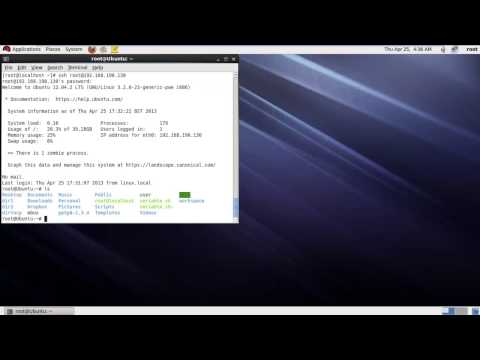
Now we will create an SSH session with the root user, who in this case is the user of the remote system. And after that, we will define the IP address we want to connect with.
With that done, you will be required to type in the root password of the remote system you are connecting with.
Step 3 -- List contents of remote system's home directory
Now you can see that we are in the root folder of the remote system.
Now let's use the LS command to list the contents of the remote system's home directory. From here we will copy the veriable.sh script to our local system.
Step 4 -- Use the "scp" command
For that, first let's log out of the remote session and use the "scp" command followed by the user of the remote system. After that, we will type in the IP address followed by the exact path of the file we want to copy.
Step 5 -- Enter the password
Now you will be required to type the password of the remote system and hit enter.
With that done, the file will be sent to your system using the ssh file transfer.
Step 6 -- List the directory contents
If we list the contents of the directory over here, you can see that the file is now present on our system's root folder.
And that's it, from the above steps you can learn how to transfer files using ssh.
Don't forget to check out our site howtech.tv/ for more free how-to videos!
youtube.com/ithowtovids - our feed
facebook.com/howtechtv - join us on facebook
plus.google.com/103440382717658277879 - our group in Google+
In this tutorial we will show you how to copy files using SSH. You can transfer files using ssh as per your own requirement and need.
Secure Shell, or SSH, allows you to securely create a remote session which can then be used for ssh file transfer.
Step 1 -- List the contents
To see its implementation, let's list the contents of the directory first.
Step 2 -- Create an SSH session with root user
Now we will create an SSH session with the root user, who in this case is the user of the remote system. And after that, we will define the IP address we want to connect with.
With that done, you will be required to type in the root password of the remote system you are connecting with.
Step 3 -- List contents of remote system's home directory
Now you can see that we are in the root folder of the remote system.
Now let's use the LS command to list the contents of the remote system's home directory. From here we will copy the veriable.sh script to our local system.
Step 4 -- Use the "scp" command
For that, first let's log out of the remote session and use the "scp" command followed by the user of the remote system. After that, we will type in the IP address followed by the exact path of the file we want to copy.
Step 5 -- Enter the password
Now you will be required to type the password of the remote system and hit enter.
With that done, the file will be sent to your system using the ssh file transfer.
Step 6 -- List the directory contents
If we list the contents of the directory over here, you can see that the file is now present on our system's root folder.
And that's it, from the above steps you can learn how to transfer files using ssh.
About this tutorial
HOWTECH published this 1:08 video tutorial on November 8, 2013. It has been watched 215,786 times on YouTube.
- Channel
- HOWTECH
- Category
- Howto & Style
- Duration
- 1:08
- Published
- November 8, 2013
- Views
- 215,786
- Likes
- 738
Share
This tutorial in other languages
- FRComment copier des fichiers utilisant SSH
- ESCómo copiar archivos a través de SSH
- PTComo copiar arquivos Usando SSH
- ITCome copiare file utilizzando SSH
- DESo kopieren Sie Dateien mit SSH
- NLHoe te kopiëren bestanden met behulp van SSH
- RUКак копировать файлы с помощью SSH
- PLJak kopiować pliki za pomocą protokołu SSH
- JAどのようにファイルのコピーにSSHを使用して
- ARكيفية نسخ الملفات عن طريق SSH
- HIकैसे की प्रतिलिपि फ़ाइलों का प्रयोग करना SSH करने के लिए
- IDCara Copy File Menggunakan SSH