Playback starts YouTube’s embedded player (privacy-enhanced mode).
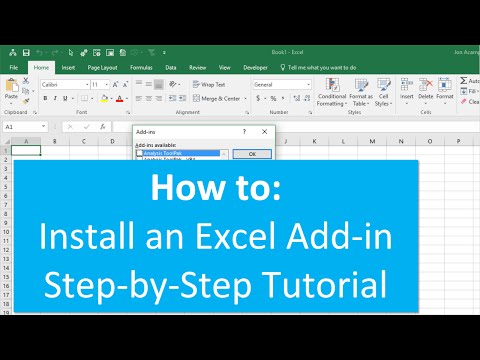
How to Install an Excel Add in
ChannelExcel Campus - JonChapters
Description from the creator
Step-by-step instructions on how to install an Excel add-in in Excel 2007, 2010, 2013, 2016 for Windows.
IMPORTANT NOTE: A July 2016 Office Security Update is causing the add-in ribbon menu to disappear. Here is a video that explains how to fix it. youtube.com/watch?v=AhnOU-ulqNg
Installing the add-in is pretty easy, and should only take a few minutes.
1. Save the add-in file to your computer.
– Pick any folder on your hard drive that is easy for you to find.
– My suggestion is to create a folder named “Excel Campus” and place it in your Documents folder.
2. Open Excel and go to the Options Menu.
– This varies depending on your version of excel.
– 2007 – Office Button, Excel Options
– 2010 & 2013 – File, Options
3. Click the “Add-Ins” option on the left-side menu, and then click the “Go…” button.
– You may have to wait a few seconds for the window to appear.
4. Click the “Browse…” button on the Add-Ins Menu.
5. Locate the add-in file you saved in Step 1, and click OK.
6. The Add-in will appear in the list and should be enabled, click OK.
7. Installation Complete – The add-in is now installed and should automatically open every time to you open excel.
Here is an article with written instructions and images. You can also download a pdf version and print it.
excelcampus.com/tools/how-to-install-an-excel-a…
Checkout my video on how to uninstall and completely remove an Excel Add-in:
youtube.com/watch?v=5MVbR4pKAbU
00:00 Introduction
00:16 Add in file
00:55 Add in menu
01:56 Browse
03:40 Free Training
About this tutorial
Excel Campus - Jon published this 4:21 video tutorial on October 26, 2016. It has been watched 614,455 times on YouTube.
- Channel
- Excel Campus - Jon
- Category
- Howto & Style
- Duration
- 4:21
- Published
- October 26, 2016
- Views
- 614,455
- Likes
- 1,541
Tags
Share
Further reading
-
Add or remove add-ins in Excel - Office Support
support.microsoft.com
To install an Excel add-in To install an add-in that is typically installed with Excel, such as Solver or the Analysis ToolPak, run the setup program for Excel or Microsoft Office and choose the Change option to install…
-
How to Install an Excel Add-in - Guide - Excel Campus
excelcampus.com
Installing the add-in is pretty easy, and should only take a few minutes. Save the add-in file to your computer. – Pick any folder on your hard drive that is easy for you to find. – My suggestion is to create a folder n…
-
Add-ins in Excel | How to Install Excel Add-In? (Step by Step ...
wallstreetmojo.com
Excel Add-Ins (2007, 2010, 2013, 2016) Add-ins are different extensions of excel which when enabled they activate when the excel is started and a user can use its functions, excel has various different add-ins and they…
This tutorial in other languages
- FRComment faire pour installer un module complémentaire Excel
- ESCómo instalar un complemento de Excel en
- PTComo instalar um suplemento do Excel em
- ITCome installare un componente aggiuntivo di Excel in
- DESo installieren Sie eine Excel-Add in
- NLHoe kan ik een Excel add in installeren
- RUКак установить надстройку Excel в
- PLJak zainstalować Add Excel w
- JAでExcelのアドインをインストールする方法
- ARكيفية تثبيت إضافة Excel في
- HIमें एक एक्सेल ऐड स्थापित करने के लिए कैसे
- IDCara Instal Excel Add di