The creator does not allow this video to be played on other websites. You can watch it directly on YouTube.
How to Make a Voicemail Greeting on iPhone
ChanneliPhone, iPad and Android Tutorials from HowTechDescription from the creator
Read iSecrets.
New magazine about gadgets and mobile technology.
app.appsflyer.com/id946420218?pid=YouTube&c…
Also check out the best iPhone audiobook library & player
app.appsflyer.com/id575898357?pid=eg_youtube
Learn the things you never knew about MS Excel for your iPhone!
itunes.apple.com/app/id932765162
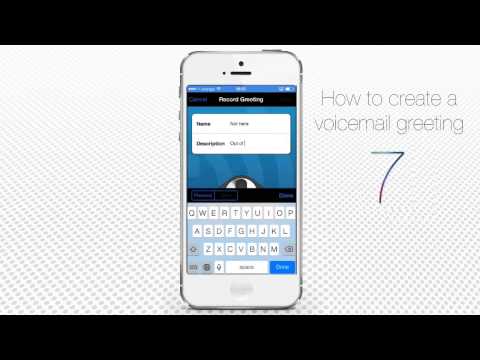
In this tutorial, you will learn how to create a voicemail greeting for your iPhone. Ignoring a huge chore of claims, the standard iOS 7 does not have this feature implemented. Luckily, a third-party app comes to help.
Don't forget to check out our site howtech.tv/ for more free how-to videos!
youtube.com/ithowtovids - our feed
facebook.com/howtechtv - join us on facebook
plus.google.com/103440382717658277879 - our group in Google+
Step 1. Go to your App Store and search for the free app called YouMail. Tap to install it and open it.
Step 2. Once the app is running, tap the "Greetings" section at the bottom of its menu. You'll see some predefined greeting messages already there, but you might prefer creating a new one.
Step 3. Tap "Record New Greeting". Give your future greeting a nice name and description.
Step 4. When you're ready to record it, tap the microphone icon. A flashing counter shows you how long your greeting is.
Step 5. You can check your new voicemail message once it's recorded. If you're satisfied with it, tap "Set As Default".
Step 6. In the next dialog message, tap "Yes" to confirm the selection. Your newly recorded greeting will now become your default voicemail greeting.
Result: Congrats! Here is your new voicemail message!
New magazine about gadgets and mobile technology.
app.appsflyer.com/id946420218?pid=YouTube&c…
Also check out the best iPhone audiobook library & player
app.appsflyer.com/id575898357?pid=eg_youtube
Learn the things you never knew about MS Excel for your iPhone!
itunes.apple.com/app/id932765162
In this tutorial, you will learn how to create a voicemail greeting for your iPhone. Ignoring a huge chore of claims, the standard iOS 7 does not have this feature implemented. Luckily, a third-party app comes to help.
Don't forget to check out our site howtech.tv/ for more free how-to videos!
youtube.com/ithowtovids - our feed
facebook.com/howtechtv - join us on facebook
plus.google.com/103440382717658277879 - our group in Google+
Step 1. Go to your App Store and search for the free app called YouMail. Tap to install it and open it.
Step 2. Once the app is running, tap the "Greetings" section at the bottom of its menu. You'll see some predefined greeting messages already there, but you might prefer creating a new one.
Step 3. Tap "Record New Greeting". Give your future greeting a nice name and description.
Step 4. When you're ready to record it, tap the microphone icon. A flashing counter shows you how long your greeting is.
Step 5. You can check your new voicemail message once it's recorded. If you're satisfied with it, tap "Set As Default".
Step 6. In the next dialog message, tap "Yes" to confirm the selection. Your newly recorded greeting will now become your default voicemail greeting.
Result: Congrats! Here is your new voicemail message!
About this tutorial
iPhone, iPad and Android Tutorials from HowTech published this 1:38 video tutorial on November 5, 2014. It has been watched 204,573 times on YouTube.
- Category
- Howto & Style
- Duration
- 1:38
- Published
- November 5, 2014
- Views
- 204,573
- Likes
- 372
Tags
Share
This tutorial in other languages
- FRComment faire une messagerie vocale sur l'iPhone Salutation
- ESCómo hacer que un mensaje de voz en el iPhone Saludo
- PTComo fazer um Voicemail Saudação no iPhone
- ITCome fare un saluto Voicemail su iPhone
- DEWie man ein Voicemail-Ansage auf dem iPhone
- NLHoe maak je een voicemailbegroeting op de iPhone
- RUКак сделать голосовое приветствие на iPhone
- PLJak zrobić powitanie poczty głosowej w telefonie iPhone
- JAボイスメールは、iPhone上で挨拶作る方法
- ARكيفية جعل البريد الصوتي تحية على اي فون
- HIकैसे एक ध्वनि मेल iPhone पर ग्रीटिंग बनाने के लिए
- IDCara Membuat Voicemail Salam pada iPhone