Playback starts YouTube’s embedded player (privacy-enhanced mode).
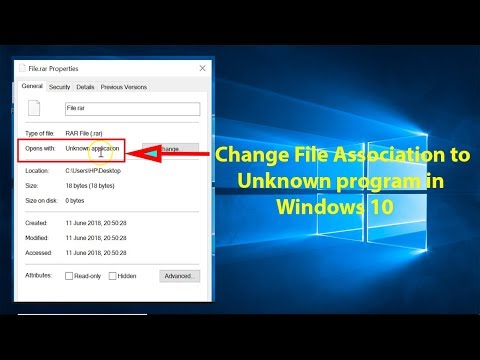
How to Change File Association to Unknown Program in Windows 10?
ChannelTechMeSpotDescription from the creator
How to Change File Association to Unknown Program in Windows 10?
Step 1: Open "Notepad" App by typing Notepad in Search Box and type cd.
Step 2: Click on "File".
Step 3: Click on "Save as".
Step 4: Select Desktop as the destination.
Step 5: Select "All Files" option in "Save as Type."
Step 6: Give name to the file as "abc.bat" without quotes.
Step 7: Click on "Save" button.
Step 8: Now, Right click on any file that you want to change association to unknown.
Step 9: Choose "Open with".
Step 10: Click on "Choose another App".
Step 11: Click on "More Apps" and then check the box Marked "Always use this App".
Step 12: Scroll down and click on "Look for another app on this PC."
Step 13: Navigate to Desktop and select "abc.bat" file, and then click on 'open' button, you might get message "This app can't run on your PC", just click on Close.
Step 14: Finally, delete the abc.bat file from your desktop.
Step 15: Restart the computer.
It's done.
My Recommended Products & Gears for Youtubers, and others (Affiliate Link):-
amazon.in/shop/techmespot
Thanks for watching, Don't forget to subscribe for more tech videos.
=======================================================
YouTube Subscribe: goo.gl/4lCCN8
Twitter: twitter.com/techmespot
Website: techmespot.com
Disclaimer :- Techmespot is a participant in the Amazon Services LLC Associates Program, an affiliate advertising program designed to provide a means for sites to earn advertising fees by advertising and linking to www.amazon.in. Thank you for supporting Techmespot so I can continue to provide you with free content.
Step 1: Open "Notepad" App by typing Notepad in Search Box and type cd.
Step 2: Click on "File".
Step 3: Click on "Save as".
Step 4: Select Desktop as the destination.
Step 5: Select "All Files" option in "Save as Type."
Step 6: Give name to the file as "abc.bat" without quotes.
Step 7: Click on "Save" button.
Step 8: Now, Right click on any file that you want to change association to unknown.
Step 9: Choose "Open with".
Step 10: Click on "Choose another App".
Step 11: Click on "More Apps" and then check the box Marked "Always use this App".
Step 12: Scroll down and click on "Look for another app on this PC."
Step 13: Navigate to Desktop and select "abc.bat" file, and then click on 'open' button, you might get message "This app can't run on your PC", just click on Close.
Step 14: Finally, delete the abc.bat file from your desktop.
Step 15: Restart the computer.
It's done.
My Recommended Products & Gears for Youtubers, and others (Affiliate Link):-
amazon.in/shop/techmespot
Thanks for watching, Don't forget to subscribe for more tech videos.
=======================================================
YouTube Subscribe: goo.gl/4lCCN8
Twitter: twitter.com/techmespot
Website: techmespot.com
Disclaimer :- Techmespot is a participant in the Amazon Services LLC Associates Program, an affiliate advertising program designed to provide a means for sites to earn advertising fees by advertising and linking to www.amazon.in. Thank you for supporting Techmespot so I can continue to provide you with free content.
About this tutorial
TechMeSpot published this 4:34 video tutorial on October 29, 2018. It has been watched 225,429 times on YouTube.
- Channel
- TechMeSpot
- Category
- Howto & Style
- Duration
- 4:34
- Published
- October 29, 2018
- Views
- 225,429
- Likes
- 3,310
Tags
Share
This tutorial in other languages
- FRComment modifier l'association de fichiers à Unknown programme dans Windows 10?
- ESCómo Asociación de cambio de archivos de programa desconocido en Windows 10?
- PTComo Associação de modificação do ficheiro de programa desconhecido no Windows 10?
- ITCome modificare il file Associazione di Unknown programmi in Windows 10?
- DEWie Ändern von Dateizuordnung zu Unknown Programm in Windows 10?
- NLHoe te Association Change File om Onbekende programma in Windows 10?
- RUКак Изменить Файл Ассоциацию Неизвестной программы в Windows 10?
- PLJak zmienić pliku Stowarzyszenia nieznanych programów w systemie Windows 10?
- JAどのように変更ファイル協会へのWindows 10で未知のプログラムに?
- ARكيفية جمعية التغيير الملف إلى برنامج غير معروف في نظام التشغيل Windows 10؟
- HIकैसे Windows 10 में अज्ञात कार्यक्रम के लिए बदलें फ़ाइल एसोसिएशन के लिए?
- IDCara Ubah File Asosiasi untuk Program diketahui pada Windows 10?