Playback starts YouTube’s embedded player (privacy-enhanced mode).
How to Add Fonts to inDesign
ChannelPhotoshop Design and Photo editing Tutorials from HowTechDescription from the creator
This tutorial is going to show you how to add a new font to InDesign.
Don't forget to check out our site howtech.tv/ for more free how-to videos!
youtube.com/ithowtovids - our feed
facebook.com/howtechtv - join us on facebook
plus.google.com/103440382717658277879 - our group in Google+
In this tutorial you are going to learn how to add fonts to InDesign. This is a simple process and is very useful if you have found a nice font online that you want to use in a document.
Step # 1 -- Downloading a Font
To install a new font in Windows you don't actually do it on a program by program basis. Instead you install a font to the computer which will be accessible to every program -- including InDesign. You need to find a font that you want to install, here you can see we have our web browser open at the popular free font site "www.dafont.com". Here we are just going to click "Download" for one of the front page fonts. A zip file will download to the computer.
Step # 2 -- Installing the Font
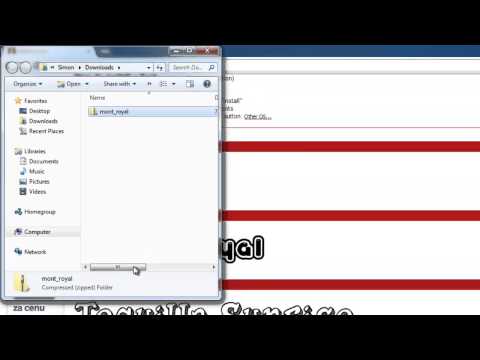
Right click on the arrow next to the downloaded file and in the menu that appears click "Show in Folder". A folder will open and you will see the zipped up font file. Right click on this and extract it using your preferred extraction software. You will see that a ".tff" file has appeared -- this is our font. Right click on this and click "Install", a window will open briefly and the font will be installed to your machine.
Step # 3 -- Adding the Font
Now, to test this out, open InDesign and have a blank document open. Click on the text option and drag a box onto the screen. From the menu at the top, click into the font drop down box and locate and click on the font we just downloaded. Once it has been selected, type something onto the page. As you can see it is working nicely here and you can use this method to install any number of fonts you wish -- you now know how to add fonts to InDesign.
Don't forget to check out our site howtech.tv/ for more free how-to videos!
youtube.com/ithowtovids - our feed
facebook.com/howtechtv - join us on facebook
plus.google.com/103440382717658277879 - our group in Google+
In this tutorial you are going to learn how to add fonts to InDesign. This is a simple process and is very useful if you have found a nice font online that you want to use in a document.
Step # 1 -- Downloading a Font
To install a new font in Windows you don't actually do it on a program by program basis. Instead you install a font to the computer which will be accessible to every program -- including InDesign. You need to find a font that you want to install, here you can see we have our web browser open at the popular free font site "www.dafont.com". Here we are just going to click "Download" for one of the front page fonts. A zip file will download to the computer.
Step # 2 -- Installing the Font
Right click on the arrow next to the downloaded file and in the menu that appears click "Show in Folder". A folder will open and you will see the zipped up font file. Right click on this and extract it using your preferred extraction software. You will see that a ".tff" file has appeared -- this is our font. Right click on this and click "Install", a window will open briefly and the font will be installed to your machine.
Step # 3 -- Adding the Font
Now, to test this out, open InDesign and have a blank document open. Click on the text option and drag a box onto the screen. From the menu at the top, click into the font drop down box and locate and click on the font we just downloaded. Once it has been selected, type something onto the page. As you can see it is working nicely here and you can use this method to install any number of fonts you wish -- you now know how to add fonts to InDesign.
About this tutorial
Photoshop Design and Photo editing Tutorials from HowTech published this 1:30 video tutorial on October 31, 2013. It has been watched 284,021 times on YouTube.
- Category
- Howto & Style
- Duration
- 1:30
- Published
- October 31, 2013
- Views
- 284,021
- Likes
- 772
Share
This tutorial in other languages
- FRComment ajouter des polices inDesign
- ESCómo agregar Fuentes de inDesign
- PTComo adicionar fontes para o InDesign
- ITCome aggiungere font a InDesign
- DEWie Hinzufügen von Fonts zu inDesign
- NLHoe te Fonts Toevoegen aan inDesign
- RUКак добавить шрифты в Indesign
- PLJak dodać czcionki do InDesign
- JAInDesignのにフォントを追加する方法
- ARكيفية إضافة خطوط ل InDesign
- HIकैसे InDesign के लिए फ़ॉन्ट्स जोड़ें
- IDBagaimana Tambahkan Font ke InDesign